Competitor Intelligence Dashboard
See every competitor's pricing, positioning, and trends in one live dashboard. No more spreadsheets, no more manual checks.
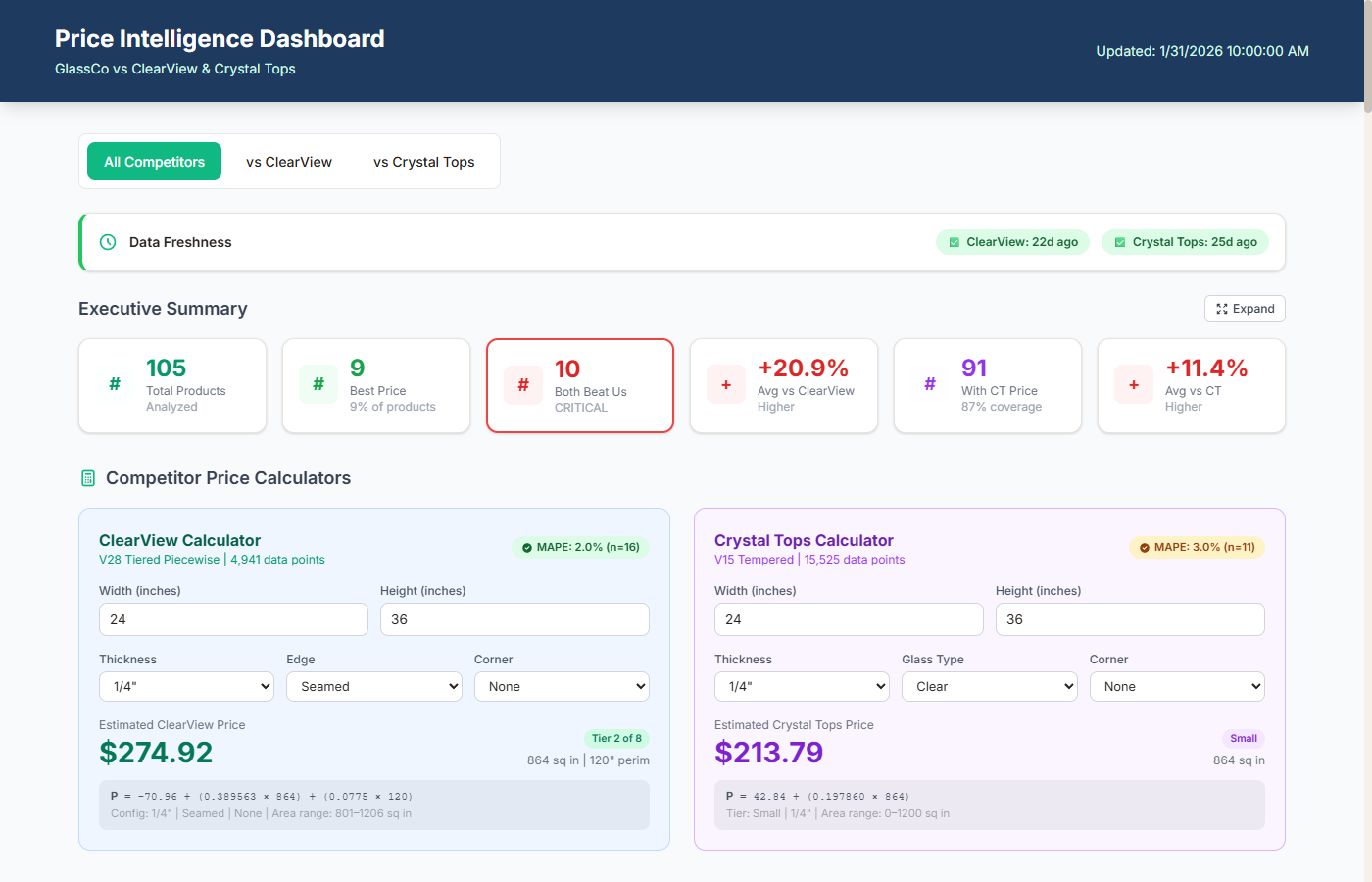
Dashboard Components
What I Build
A competitor dashboard is more than a table of numbers. Here's every component I build to turn raw data into competitive advantage.
Price Ladders
Side-by-side price comparisons showing exactly where you sit vs. every competitor in each category.
- Apples-to-apples spec matching
- Position ranking per category
- Your price highlighted vs. the field
Heatmaps
Color-coded grids that instantly reveal overpriced, underpriced, and competitively positioned SKUs.
- Red/yellow/green competitive scoring
- Category-level rollup views
- Clickable drill-down to SKU detail
Trend Charts
Historical line charts tracking how competitor prices evolve over weeks and months.
- Daily price snapshots with trend lines
- Period-over-period comparison
- Anomaly highlighting
Alert Panels
Smart notification panels that surface only the changes worth acting on.
- Threshold-based alert filtering
- Priority ranking (high/medium/low)
- One-click drill-down to details
SKU Comparison Tables
Interactive tables with sorting, filtering, and spec-level matching for detailed analysis.
- Filter by category, brand, or price range
- Confidence score on product matches
- CSV/Sheet export for team sharing
Automated Data Pipeline
Zero-touch data collection, processing, and dashboard updates running on schedule.
- Scheduled scraper runs (daily/hourly)
- Data normalization & deduplication
- Automatic dashboard deployment
Deliverables
What You Get
Price Ladder Visualizations
Side-by-side price comparison charts showing exactly where you sit vs. every competitor in each product category.
Category Heatmaps
Color-coded grids that instantly reveal which categories are overpriced, underpriced, or competitively positioned.
Competitor Trend Charts
Historical line charts tracking how competitor prices evolve over weeks and months so you can spot patterns before they impact you.
Price History Tracking
Every price change logged with timestamps. Filter by competitor, category, or date range to analyze competitive moves.
Market Position Analysis
Understand your competitive positioning at a glance with summary metrics, win rates, and market share estimates.
Shareable URL (S3-Hosted)
Your dashboard is hosted on AWS S3 with a permanent URL. Share it with your team, stakeholders, or embed it in reports.
Scope & Pricing
Every Project Is Different
I scope every engagement individually based on your data, goals, and timeline. No cookie-cutter packages — just a solution built around what you actually need.
Data Volume
Number of SKUs, pages, or data points to process drives the scope of the project.
Delivery Format
Raw CSV, live dashboard, API integration, or automated reporting — each has different complexity.
Ongoing Support
One-time delivery versus ongoing monitoring, maintenance, and iteration on results.
Process
How It Works
Define
Identify your top competitors, key product categories, and the metrics that drive your pricing strategy.
Collect
Build automated scrapers that capture competitor prices, stock levels, and listings daily with SKU-level matching.
Visualize
Design interactive dashboards with price heatmaps, trend charts, and competitive positioning ladders.
Act
Receive daily alerts when competitors make significant changes. Use the intelligence to adjust pricing, inventory, and marketing in real time.
Deep Dive
Expert Insight
Price Ladder Methodology
A price ladder shows where every seller sits for a given product, sorted from lowest to highest. But raw price isn't enough — you need to factor in shipping costs, delivery speed, seller rating, and Buy Box ownership. A competitor offering a lower total landed price with free shipping beats a slightly cheaper product with paid shipping every time.
I build ladders that calculate the effective price (product + shipping + tax estimate) and highlight your position relative to the Buy Box winner. This is the view that actually informs pricing decisions.
Heatmap Color Encoding
Color in a price heatmap should encode your competitive position, not absolute price. Green = you're priced competitively (within 5% of the lowest). Yellow = marginal (5-15% above). Red = significantly above competitors. This encoding makes it instant to spot where you're losing on price across hundreds of products — the red squares scream"look here."