Price & Stock
Change Alerts
Automated monitoring with instant notifications via email, Slack, or SMS when competitors change prices or go out of stock.
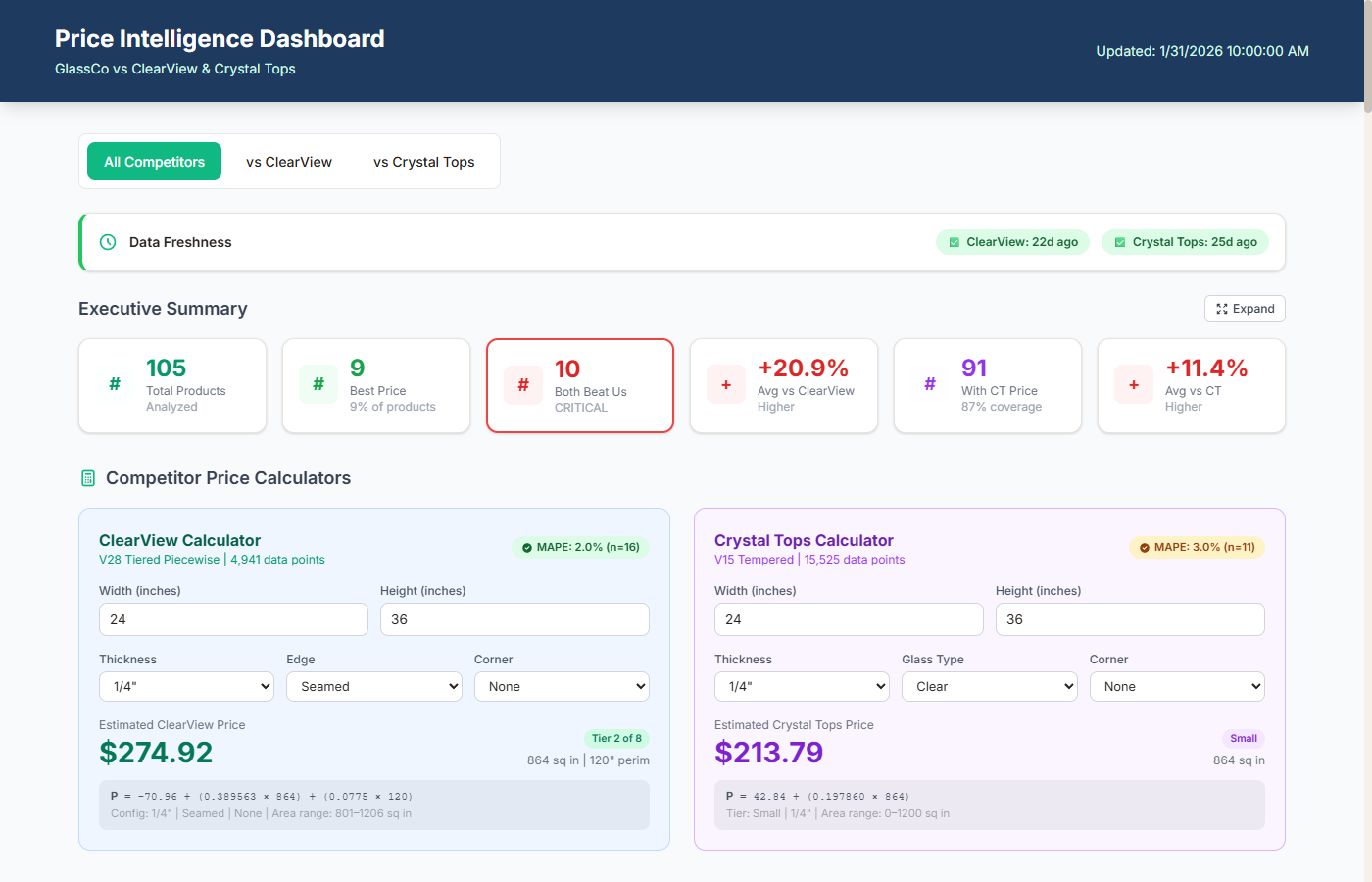
Real-Time Intelligence
What I Track
Price and stock monitoring isn't about collecting data — it's about knowing the instant something changes that requires your attention. Here's everything I track.
Price Changes
Real-time price monitoring across all tracked products and competitors, with alerts triggered the moment prices shift beyond your thresholds.
- Automated daily price capture across all competitors
- Configurable percentage and absolute change thresholds
- Historical price trend data for pattern recognition
Stock Status
In-stock and out-of-stock transitions, low inventory warnings, and restock detection — know when competitors can't fulfill and you can capture their customers.
- Real-time stock availability monitoring
- Competitor out-of-stock opportunity alerts
- Restock detection when competitors return to market
Buy Box Changes
Buy Box ownership tracking that shows who wins, who loses, and the price and fulfillment conditions that flip the switch.
- Buy Box ownership tracking with timestamp logs
- Price and fulfillment method correlation analysis
- Alert when you lose Buy Box with reason analysis
New Competitor Entries
Detect when new sellers appear on your listings, enter your category, or launch competing products — before they take your market share.
- New seller detection on your product listings
- Category-level new product launch monitoring
- Unauthorized seller identification and reporting
MAP Violations
Minimum advertised price breach detection across every channel — with timestamped evidence for enforcement.
- Cross-channel MAP violation scanning
- Timestamped screenshots for violation evidence
- Violation frequency tracking per seller
Custom Thresholds
Configurable alert rules per product, category, or competitor — so you only get notified about changes that actually matter to your business.
- Product-level alert threshold customization
- Category-wide default rules with override capability
- Smart batching to prevent notification overload
Workflow
How the Alert Pipeline Works
Deliverables
What You Get
Real-Time Price Monitoring
Continuous automated price checks across competitor listings every 30 minutes to 24 hours.
Out-of-Stock Detection
Instant detection when competitors go out of stock so you can capture their traffic and sales.
Email / Slack / SMS Alerts
Choose your notification channel. Get alerts where you already work -- inbox, Slack, or text message.
Configurable Thresholds
Set custom trigger rules: alert on 5% drop, 10% increase, any change, or absolute price targets.
Historical Price Tracking
Full price history logged to Google Sheets with trend charts showing competitor pricing patterns over time.
Daily Summary Digests
Morning email with overnight changes, price trends, and stock status across all monitored products.
Scope & Pricing
Every Project Is Different
I scope every engagement individually based on your data, goals, and timeline. No cookie-cutter packages — just a solution built around what you actually need.
Data Volume
Number of SKUs, pages, or data points to process drives the scope of the project.
Delivery Format
Raw CSV, live dashboard, API integration, or automated reporting — each has different complexity.
Ongoing Support
One-time delivery versus ongoing monitoring, maintenance, and iteration on results.
Process
How It Works
Configure
Define which products and competitors to monitor, set threshold rules, and choose alert channels (email, Slack, SMS).
Monitor
Automated scrapers check competitor prices daily and compare against your thresholds and historical baselines.
Alert
When thresholds are breached, you get instant notifications with context: which product, which competitor, old price, new price, and recommended action.
Report
Daily digests summarize all price movements. Weekly reports show trends, your competitive position, and price gap analysis.
Deep Dive
Expert Insight
Threshold Methodology: Signal vs. Noise
The art of price alerting is separating signal from noise. A good threshold system uses three layers: absolute thresholds (alert if competitor price drops below $X), percentage thresholds (alert if price changes more than Y%), and statistical thresholds (alert if price deviates more than 2 standard deviations from the 30-day average).
The statistical approach catches anomalies that flat thresholds miss. A product that normally fluctuates within a narrow band suddenly dropping well below that range is significant even if the absolute change seems small. The statistical model flags it because it's unusual — and unusual price movements usually signal something strategic.
Alert Routing: Right Message, Right Channel
Not all alerts deserve the same urgency. I build three tiers: Critical (competitor undercuts your best-selling product by 10%+) → SMS/Slack instant notification. Important (competitor out of stock, new product launch) → Email with action items. Informational (minor price changes, review count updates) → Batched into daily digest. This prevents alert fatigue while ensuring you never miss what matters.