Visual Workflow Automation
n8n visual pipelines that scrape, process, alert, and report — on schedule, hands-free, zero code required.
Portfolio
11 Production-Ready Workflows
Every workflow below has been built, tested, and executed successfully. Click any image to see the full project on my portfolio.
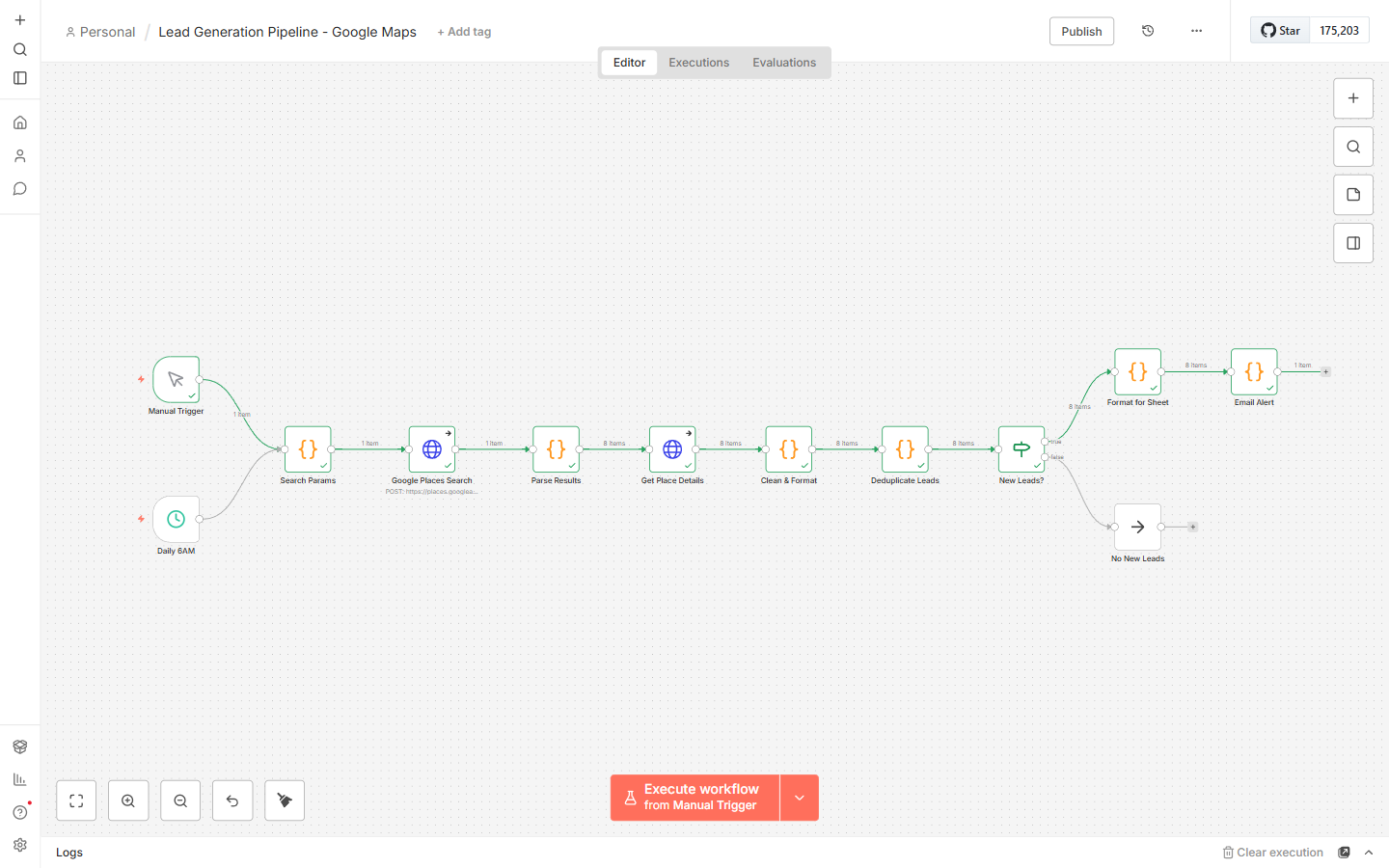
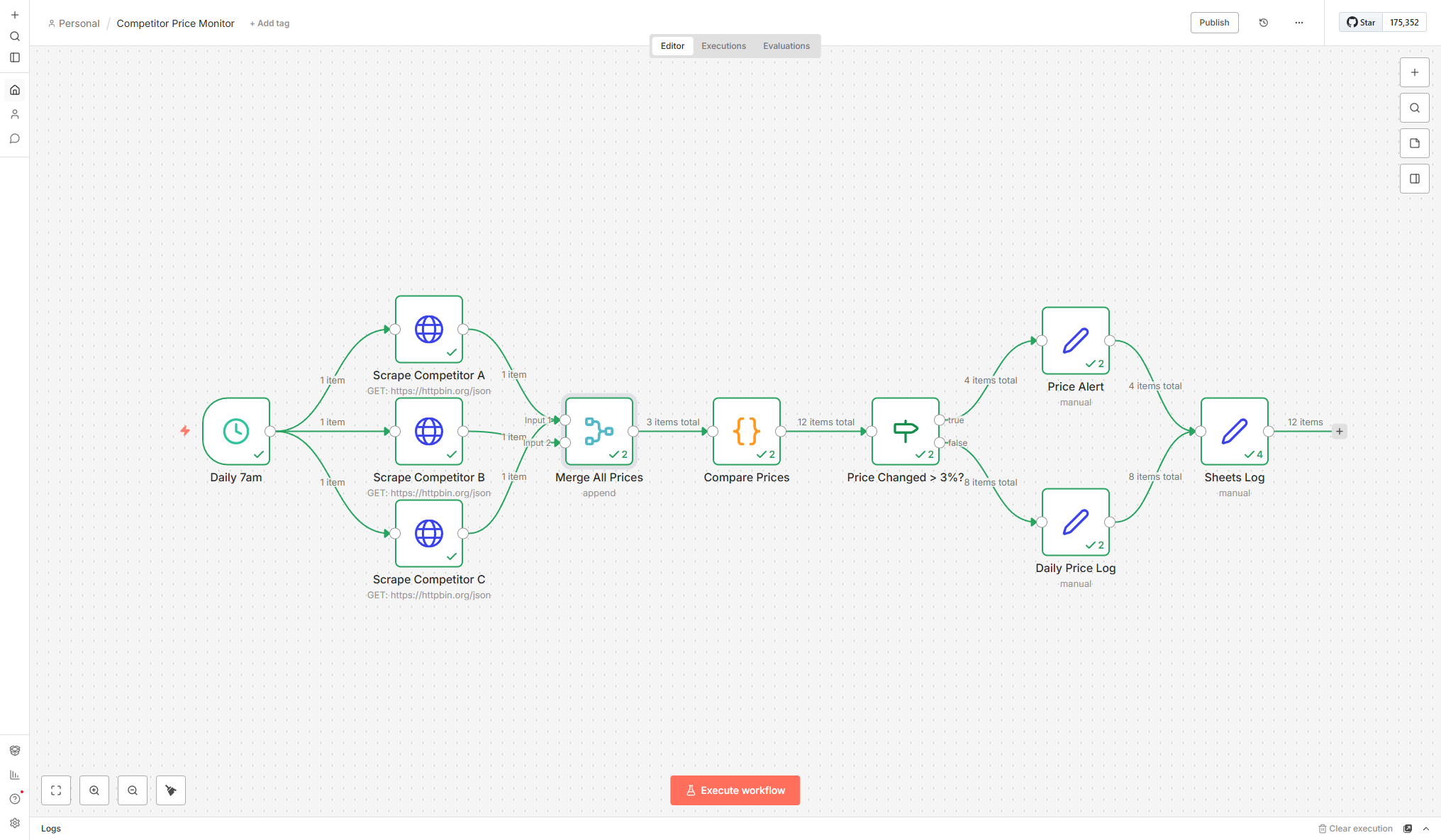
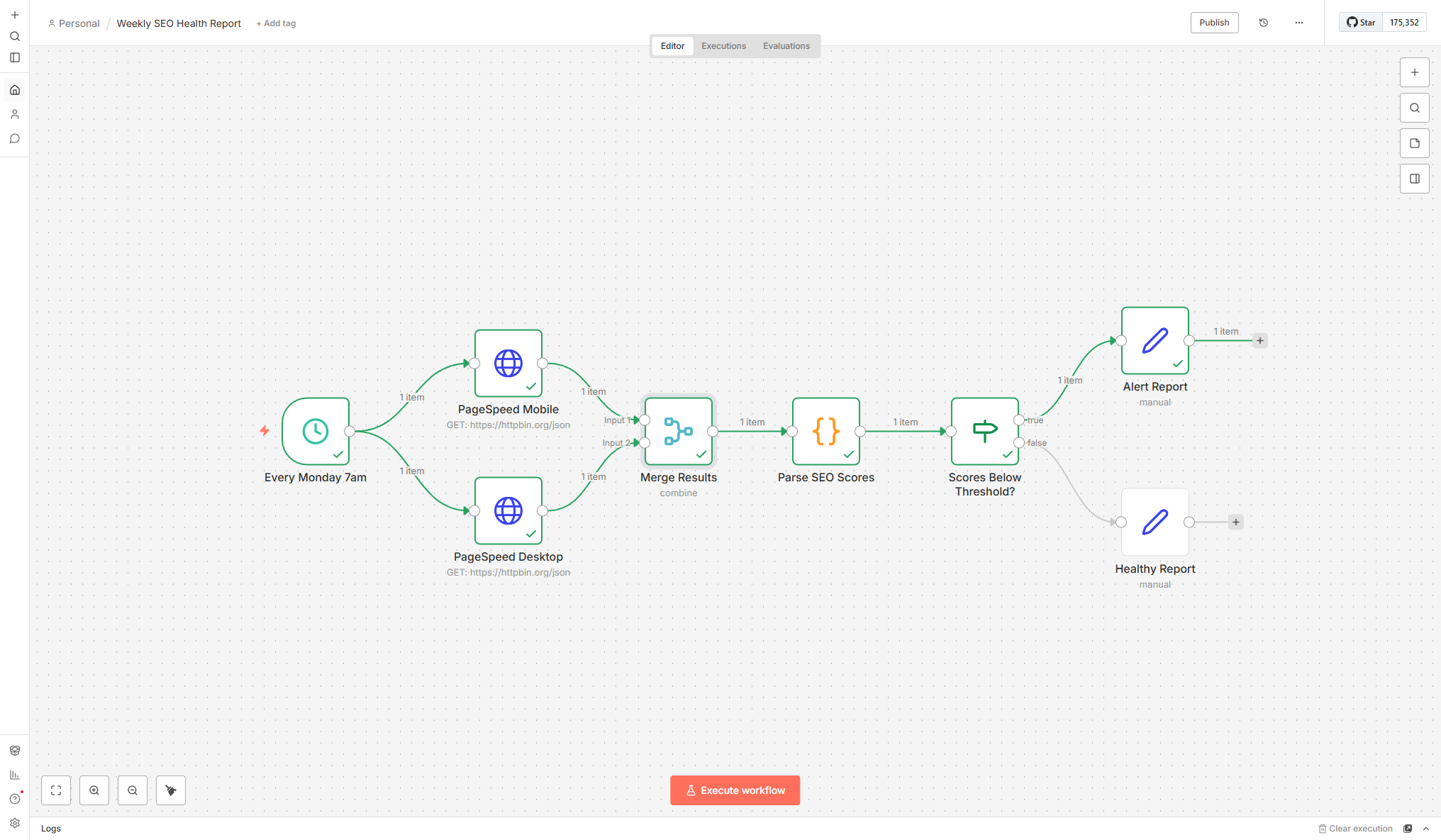
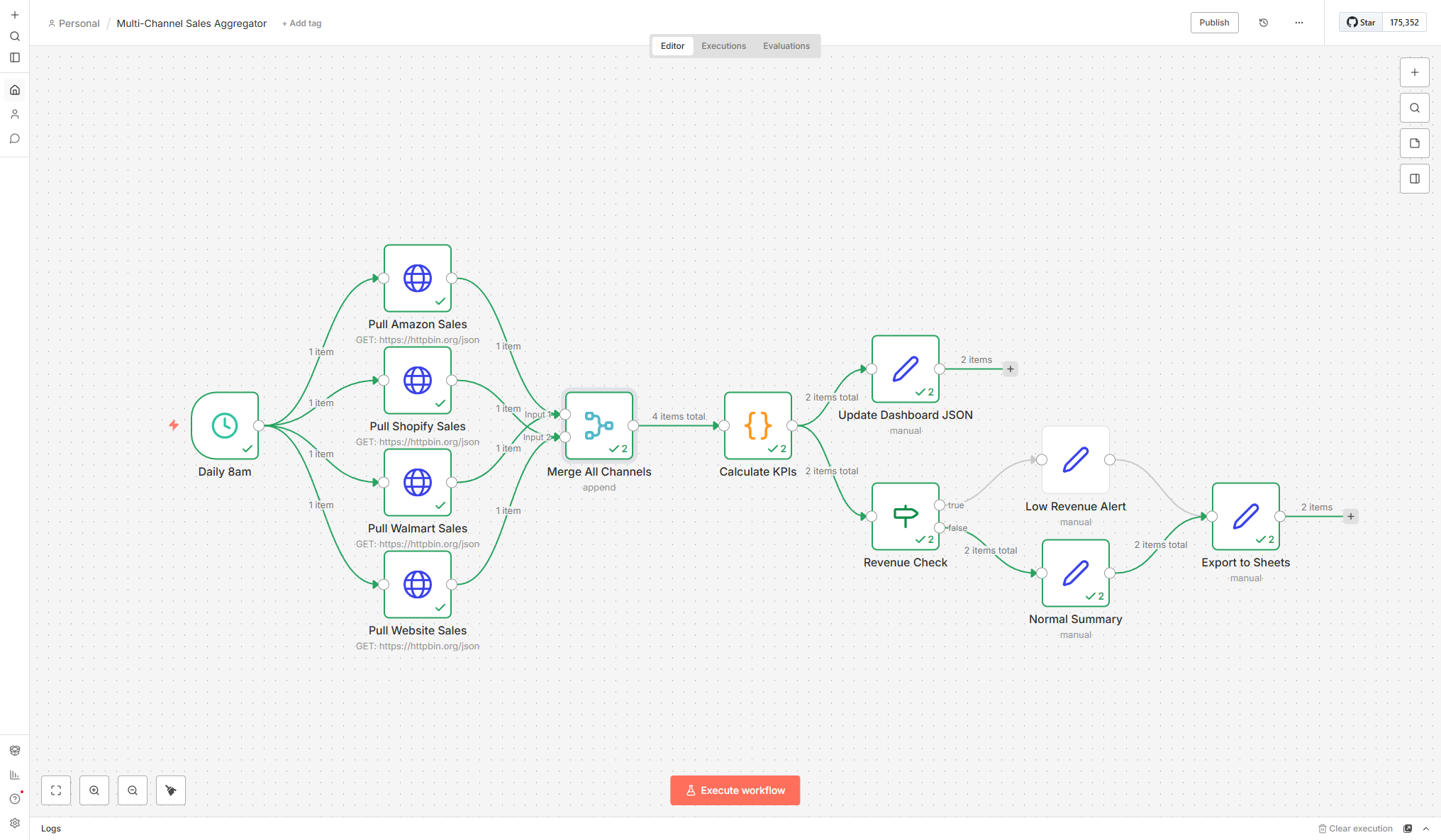
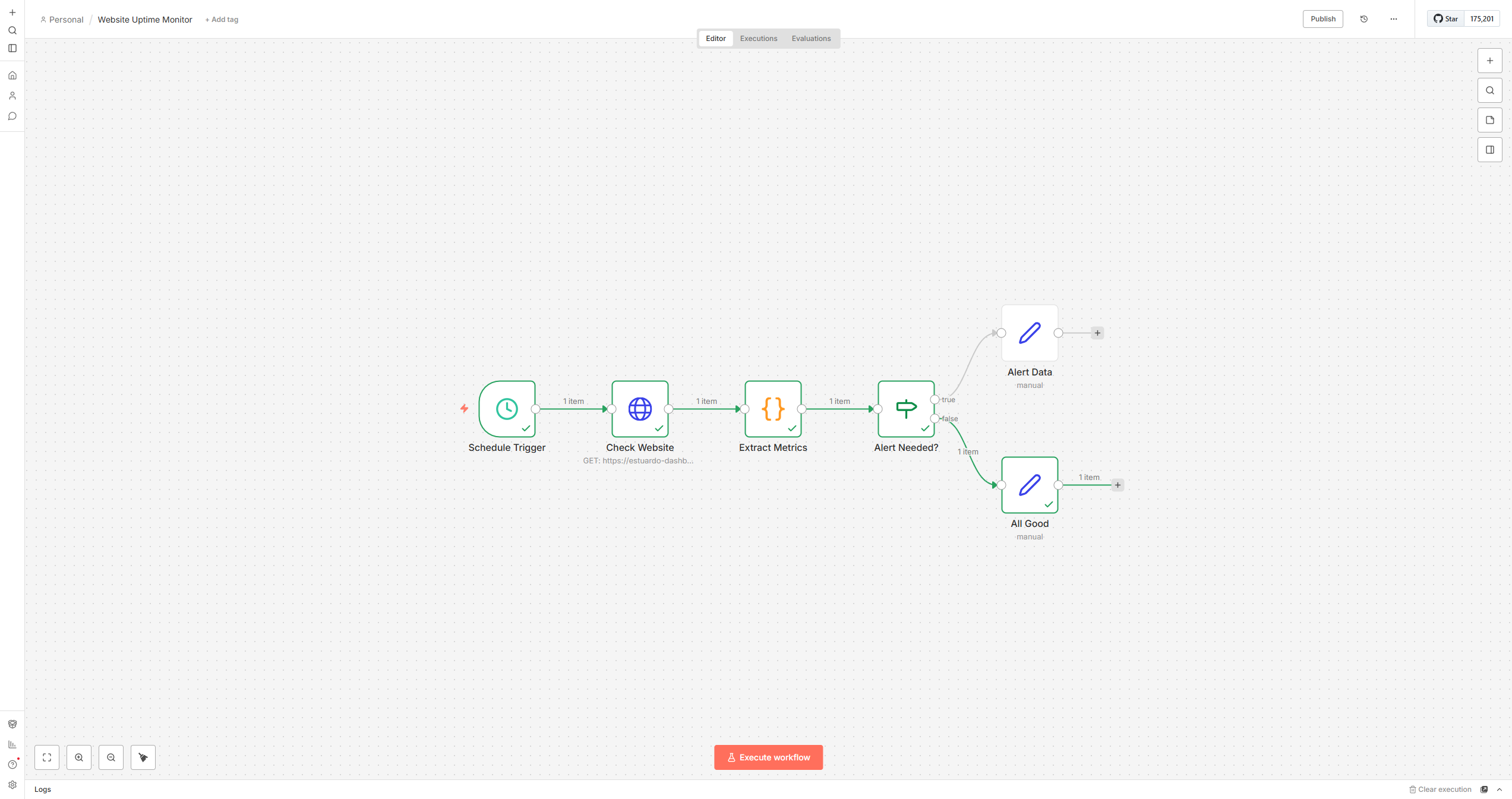
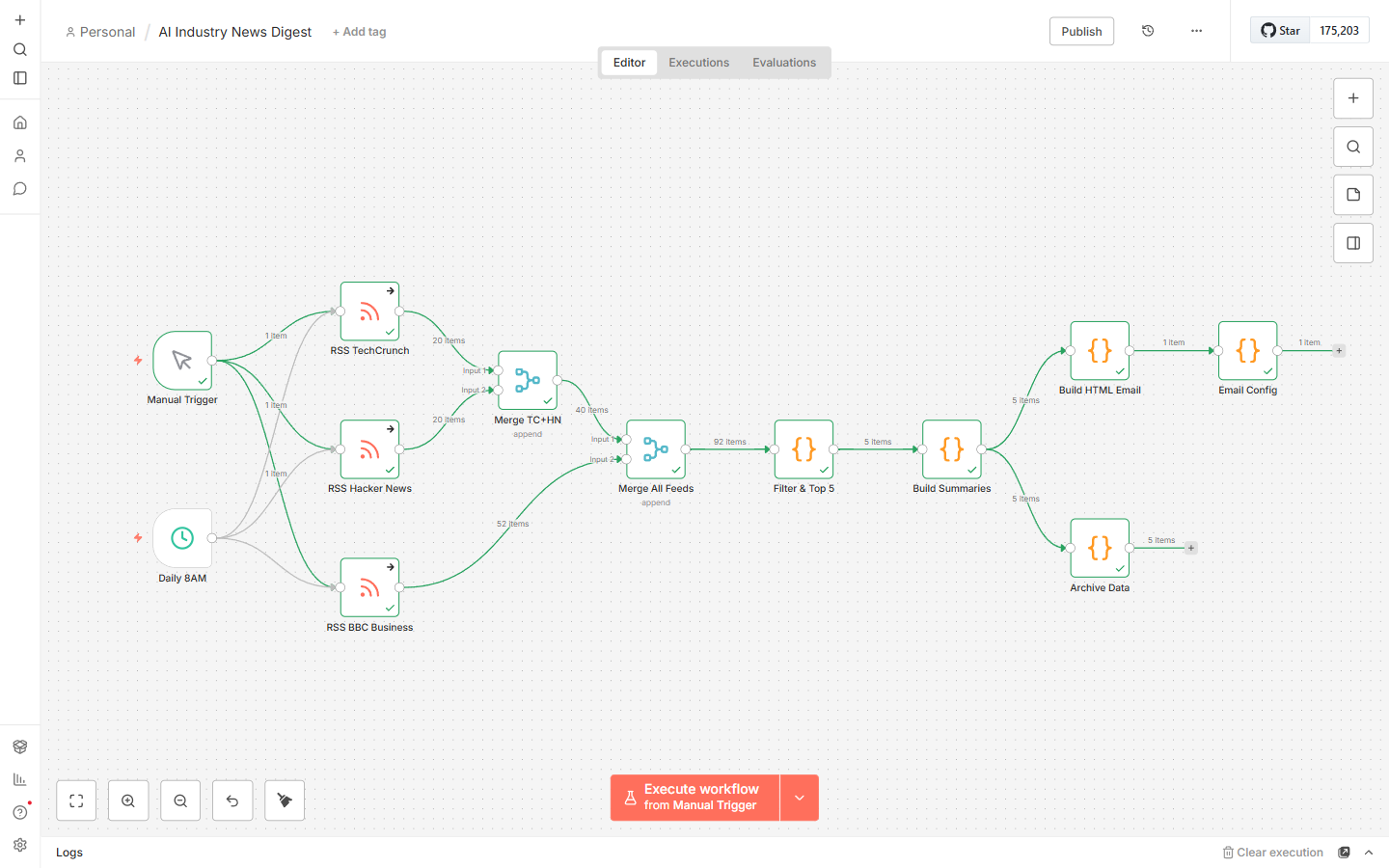
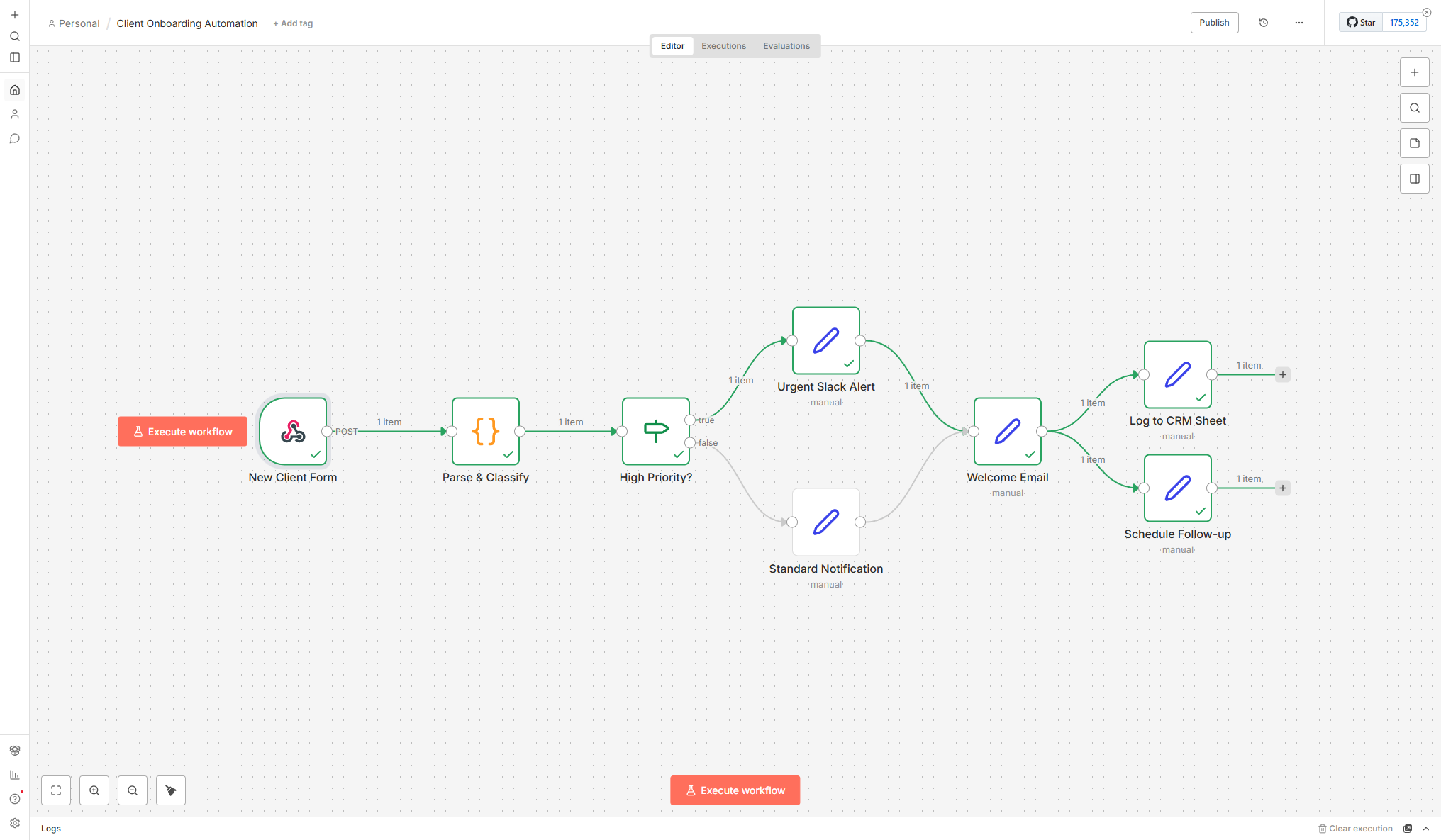
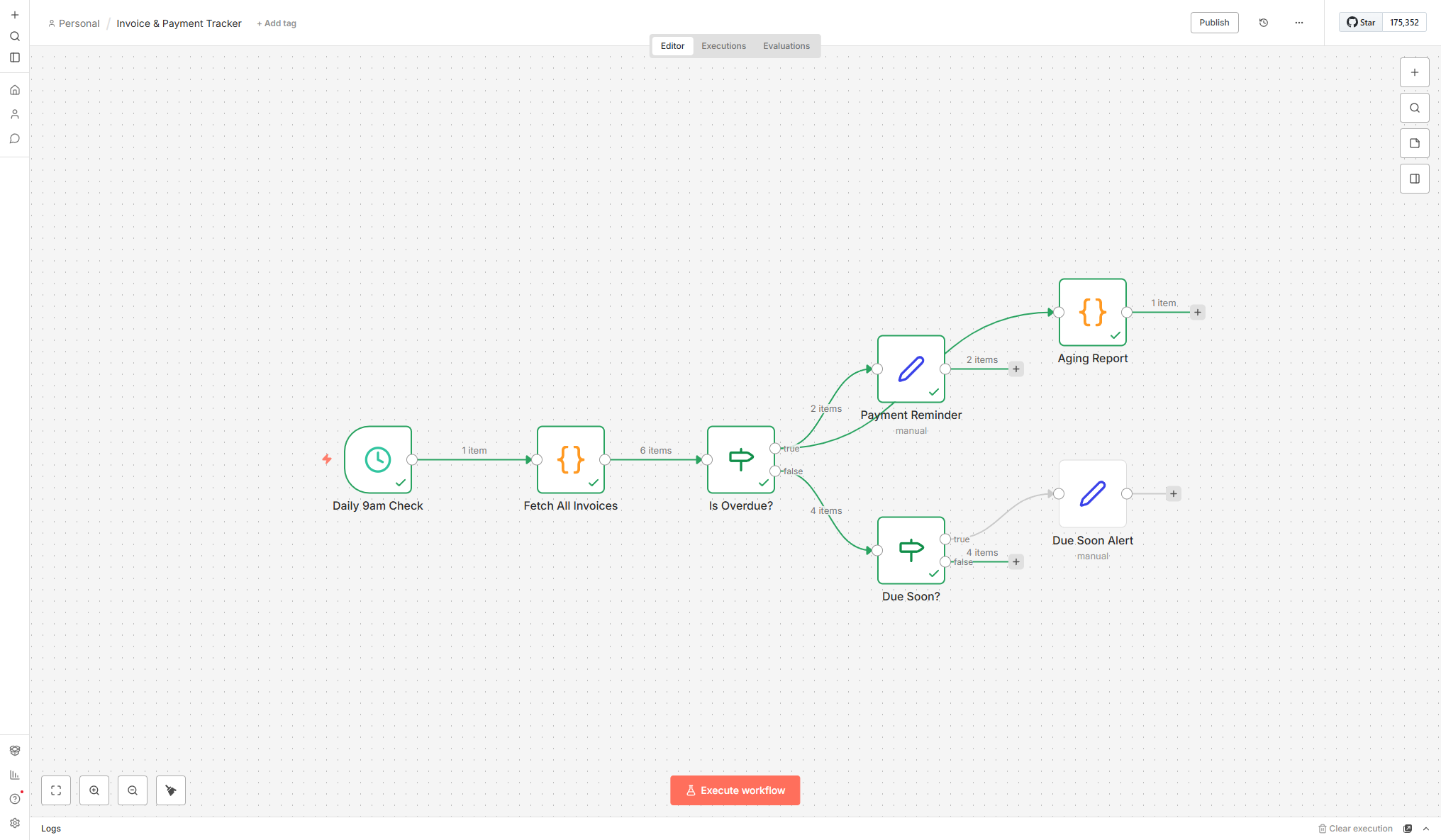
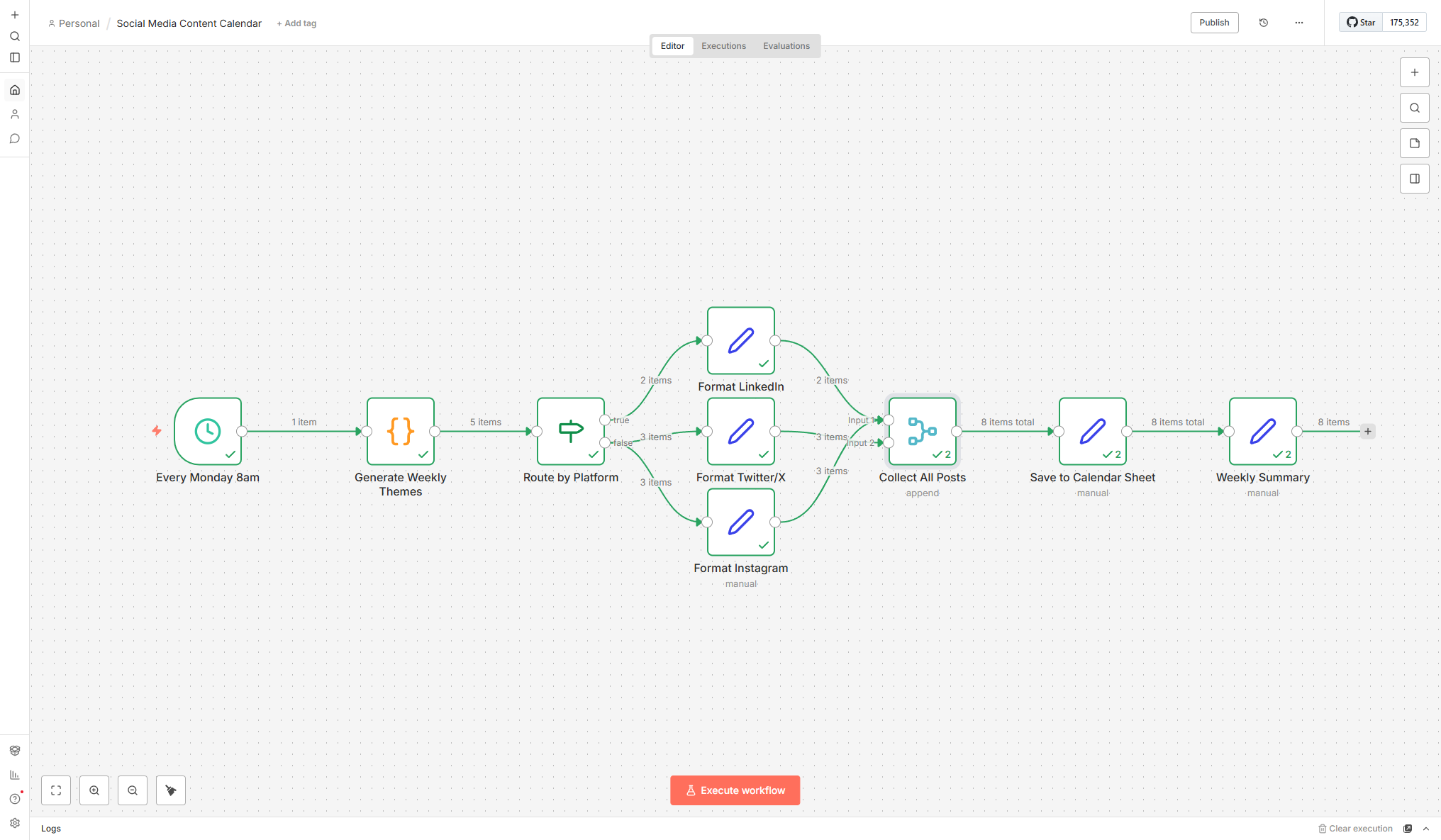
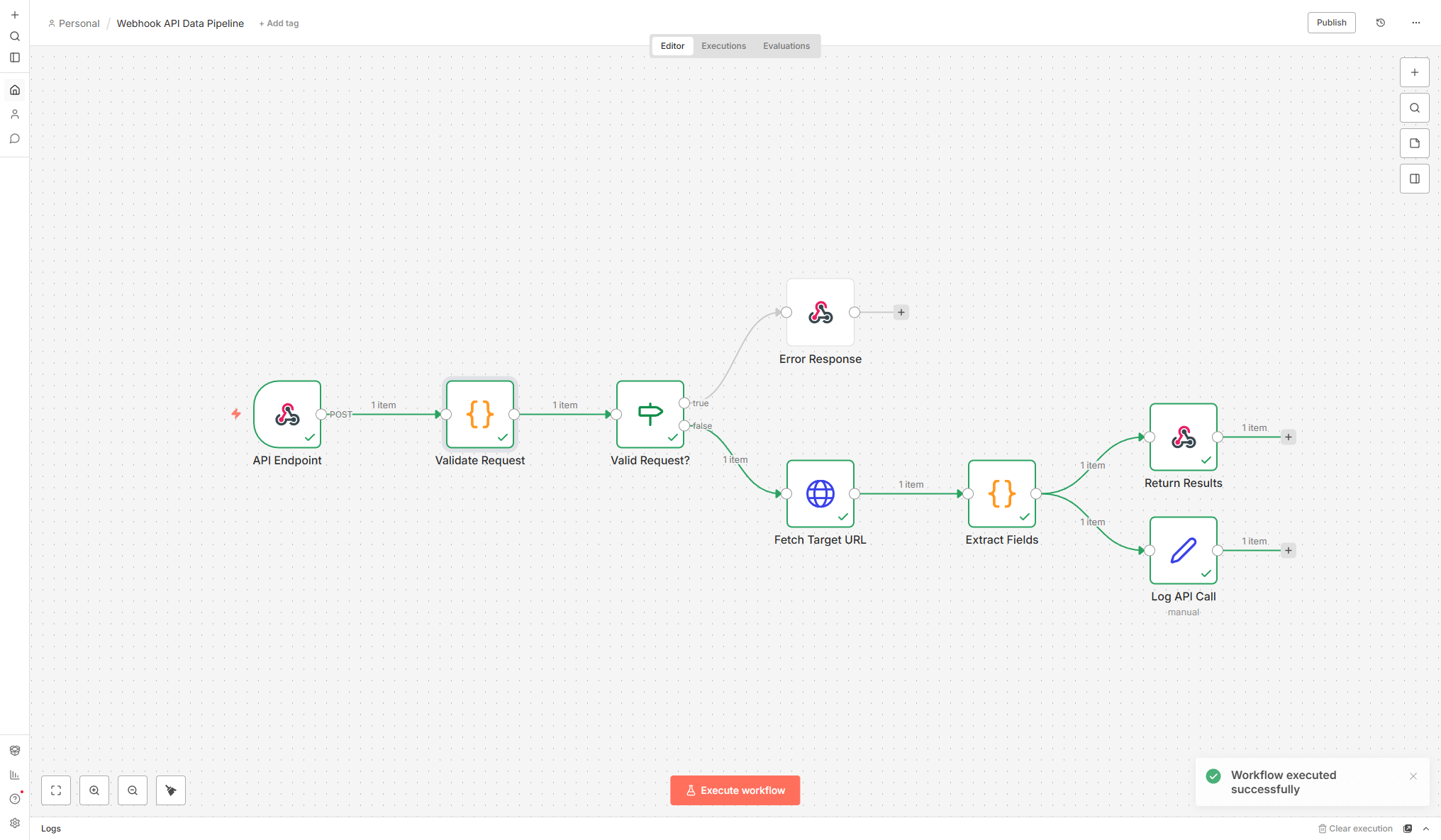
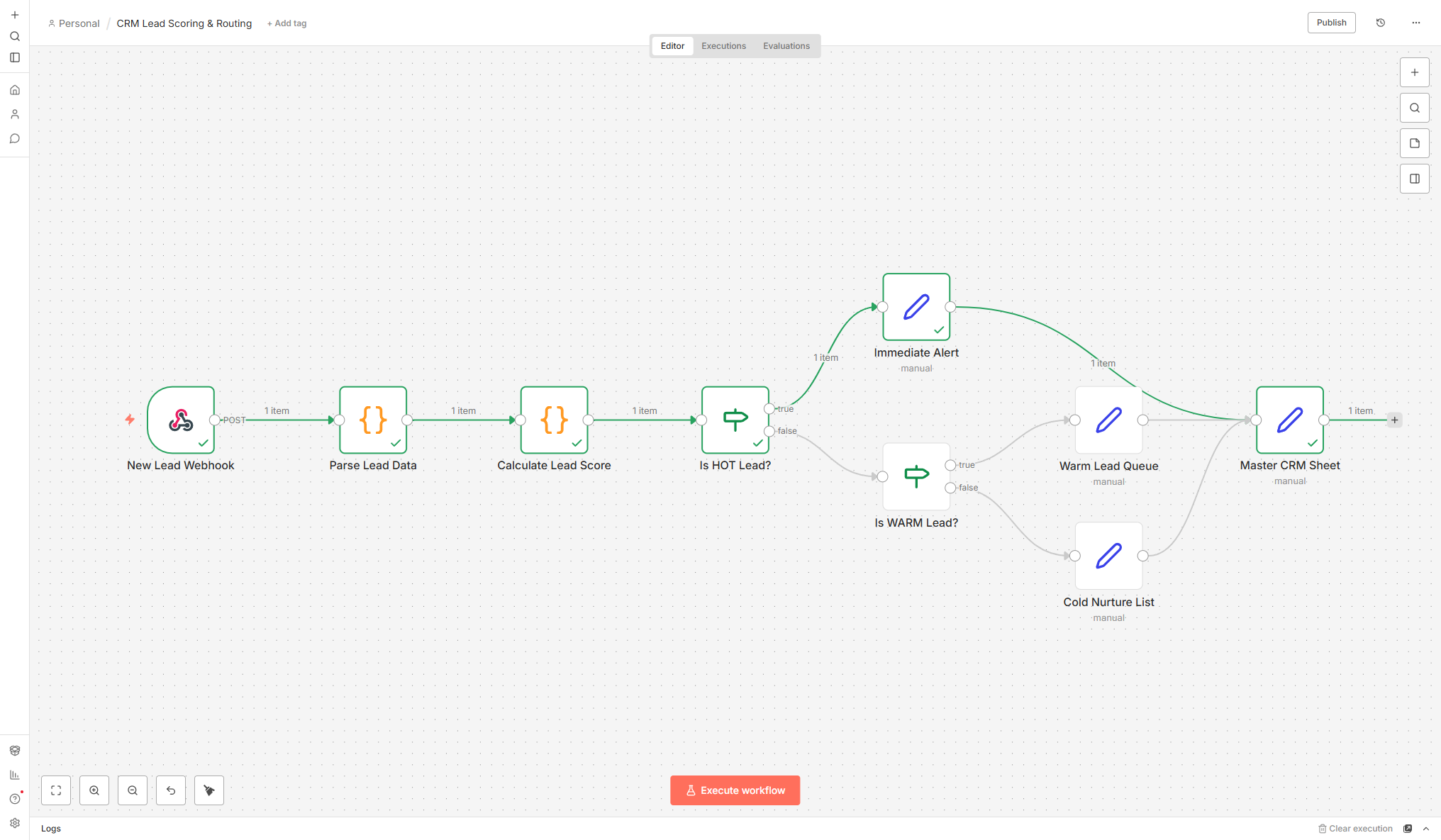
End-to-End Workflows
What I Automate
Automation isn't about replacing people — it's about eliminating the repetitive tasks that eat your team's time. Here's every type of workflow I build.
Data Collection
Scheduled scraping, API data pulls, and file imports that gather data from every source on autopilot — no manual downloads needed.
- Automated daily/weekly data collection schedules
- Multi-source aggregation (APIs, websites, files)
- Error handling with retry logic and failure alerts
ETL Pipelines
Extract, transform, load workflows that turn raw data into clean, structured datasets ready for analysis or delivery.
- Data validation and quality checks at each stage
- Format standardization across disparate sources
- Incremental processing for efficiency
Report Generation
Automated report creation and delivery — from data pull to formatted report in your inbox, no human intervention required.
- Templated reports with dynamic data insertion
- Multi-format output (PDF, CSV, Google Sheets)
- Scheduled delivery via email, Slack, or cloud storage
Alert Systems
Conditional notifications that fire when data crosses your thresholds — price drops, stock-outs, performance dips, or any metric you care about.
- Configurable alert conditions per metric
- Multi-channel delivery (email, Slack, SMS, WhatsApp)
- Smart batching to prevent alert fatigue
Dashboard Updates
Auto-refresh data pipelines that keep your live dashboards current — from raw data sources to deployed dashboard, fully automated.
- Daily automated data pipeline execution
- Dashboard deployment with validation checks
- Zero-downtime updates with rollback capability
Multi-App Integration
Connecting the tools you already use — Google Sheets, email, Slack, CRMs, marketplaces — into seamless workflows that talk to each other.
- Native integrations with 500+ apps via n8n
- Custom API connectors for proprietary systems
- Webhook-based triggers for real-time automation
Deliverables
What You Get
-
n8n visual workflow builder
Drag-and-drop canvas with clear node labels — easy to understand and maintain.
-
Scheduled automation (daily/hourly)
Cron-based triggers that run your workflows on any schedule you need.
-
Multi-source data pipelines
Pull data from APIs, websites, spreadsheets, and databases into one flow.
-
Smart alerts (email/Slack/SMS)
Get notified only when something matters — price drops, errors, thresholds hit.
-
Google Sheets auto-delivery
Processed data pushed to Sheets automatically for team collaboration.
-
Error handling & retry logic
Built-in retries, fallbacks, and error notifications so nothing fails silently.
Scope & Pricing
Every Project Is Different
I scope every engagement individually based on your data, goals, and timeline. No cookie-cutter packages — just a solution built around what you actually need.
Data Volume
Number of SKUs, pages, or data points to process drives the scope of the project.
Delivery Format
Raw CSV, live dashboard, API integration, or automated reporting — each has different complexity.
Ongoing Support
One-time delivery versus ongoing monitoring, maintenance, and iteration on results.
Process
How It Works
Map
Document your current manual processes — every step, every decision, every hand-off. Identify what can and should be automated.
Design
Architect the workflow with triggers, conditions, and actions. Choose the right tool (n8n, Zapier, custom code) based on complexity and budget.
Build & Test
Build the automation with error handling at every step. Test with real data, edge cases, and failure scenarios before going live.
Deploy & Monitor
Launch with monitoring dashboards and alert rules. Weekly check-ins for the first month, then monthly maintenance reviews.
Deep Dive
Expert Insight
n8n vs. Zapier vs. Make: When to Use What
| n8n | Zapier | Make | |
|---|---|---|---|
| Cost | Free (self-hosted) | Paid (monthly) | Paid (monthly) |
| Custom code | Full JS/Python | Limited | Some |
| Self-host | Yes | No | No |
| AI nodes | Built-in | Basic | Basic |
| Best for | Complex, technical workflows | Simple app-to-app | Visual data transforms |
| My pick | Technical clients | Non-technical clients | Budget-conscious |
I recommend n8n for most business clients because the self-hosted option means zero recurring platform fees — you only pay for the server (or run it locally for free). For clients who want a managed solution with minimal setup, Zapier or Make are solid alternatives.
The ROI Calculation
Every automation should pass a simple ROI test: (Hours saved per month × Hourly cost of that labor) vs. (Build cost + Monthly maintenance). If a workflow saves 10 hours/month of manual labor, the monthly savings often exceed the one-time build cost within the first two months. After that, it's pure return. Most workflows I build pay back within 30-60 days.
Ready for automation you own — no monthly fees?
Stop paying Zapier or Make. Let's build n8n workflows you control and own.
Get in Touch